Give more people useful self-understanding
The invited person completes the assessment, receives a practical Personality profile and can contribute to permitted Team dynamics. They do not receive Bilee or an authenticated coaching workspace.
Product tour
When a few people receive deep support but the wider organisation lacks a shared language, development stays fragmented. MyTeamBuilder starts with one 36-question, 5-minute assessment for every invited person, then adds private coaching only for the people who need it.
The invited person completes the assessment, receives a practical Personality profile and can contribute to permitted Team dynamics. They do not receive Bilee or an authenticated coaching workspace.
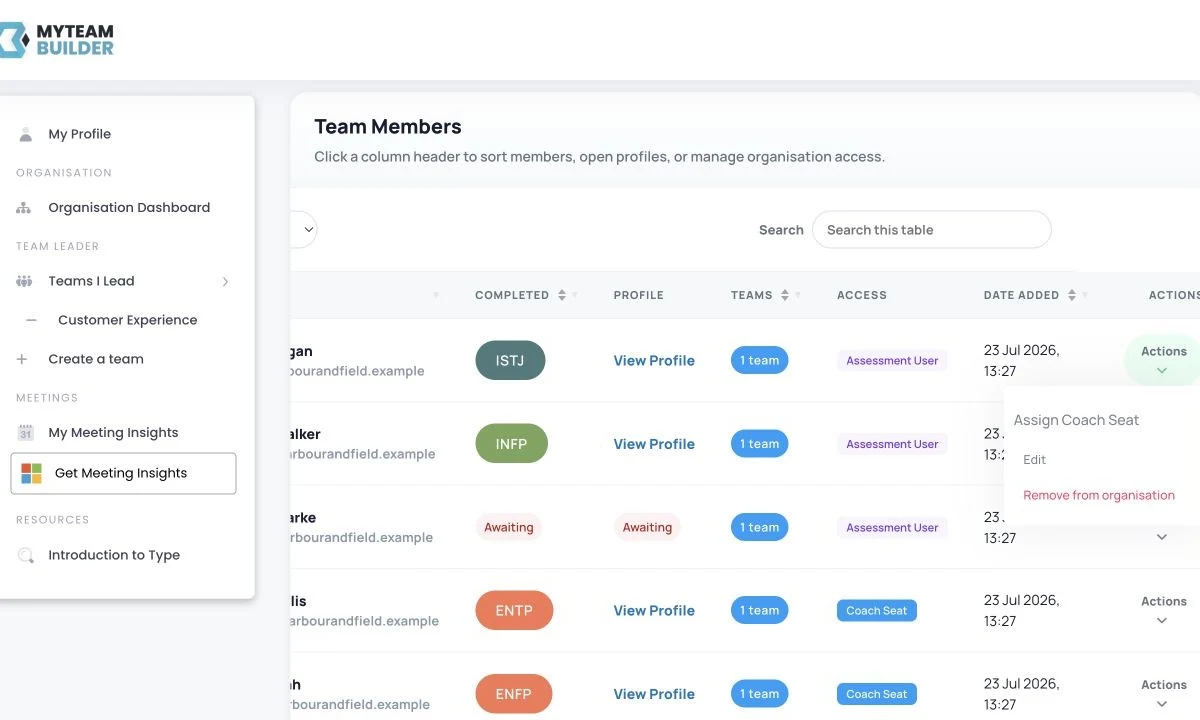
Selected people receive a login, private always-on support from Bilee and eligible preparation tools. Every Organisation Admin occupies one Coach Seat, and a Team Lead requires one.
Phase one · Plan the rollout
A wide rollout does not require identical access for everyone. The Organisation Admin can match access to current need, invite people into teams and change the mix later.
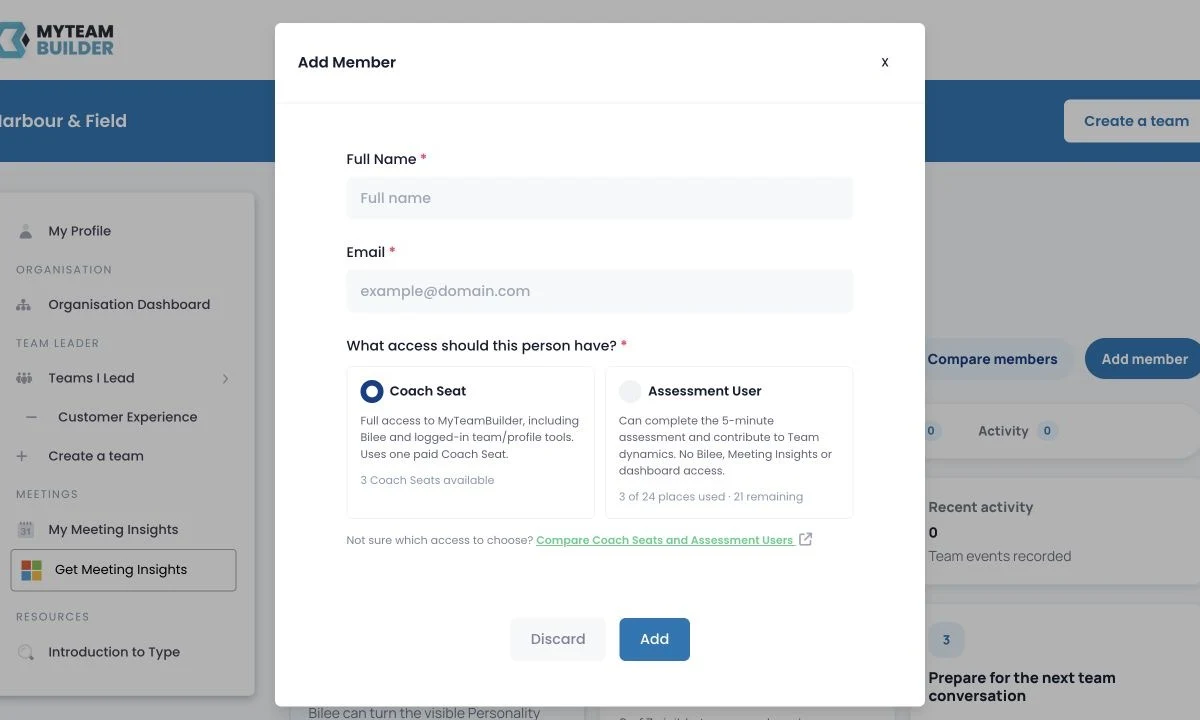
Start with the people you want to understand and the smaller group who need ongoing help with decisions, conversations or leadership responsibility. An Assessment seat covers the assessment path; a Coaching seat adds the private coaching path.
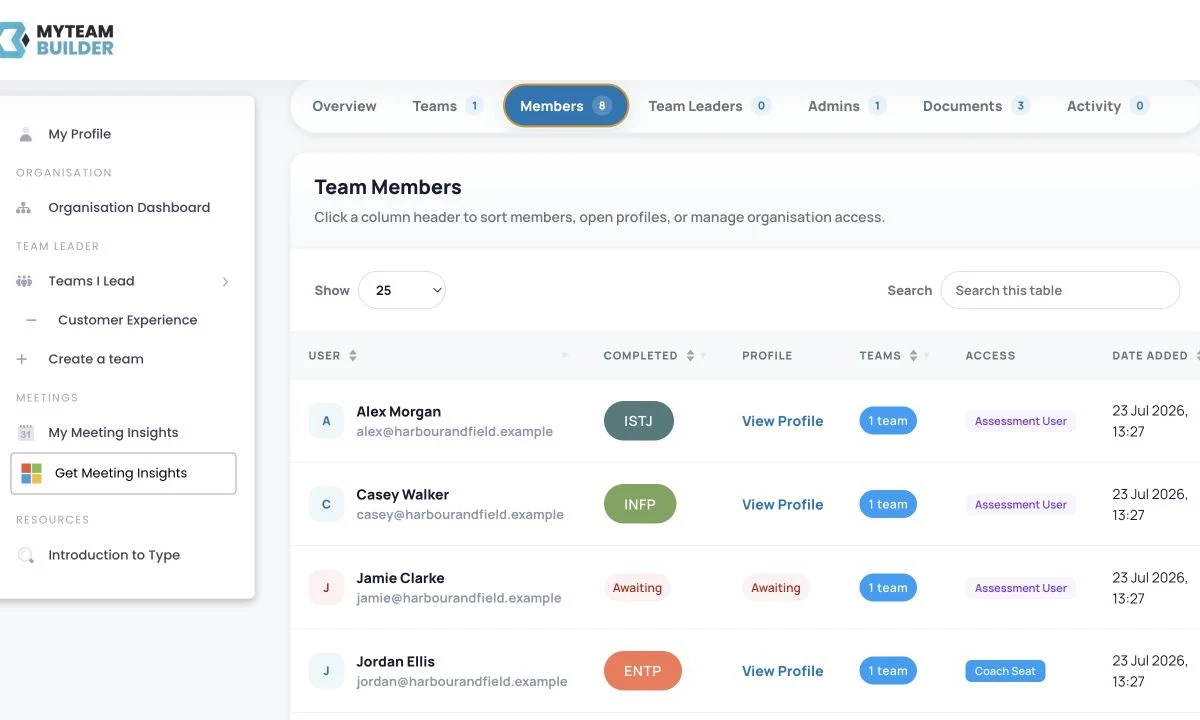
The invitation carries a unique link to the assessment. An Assessment User does not need a login or password: they complete the assessment and can return to their profile through that link. A Coaching seat user continues into an authenticated workspace after the same assessment.
Phase two · Turn answers into useful language
The assessment is useful only if the result reaches the next conversation. Each completed profile gives the person practical language for their preferences and can add context to permitted team views.
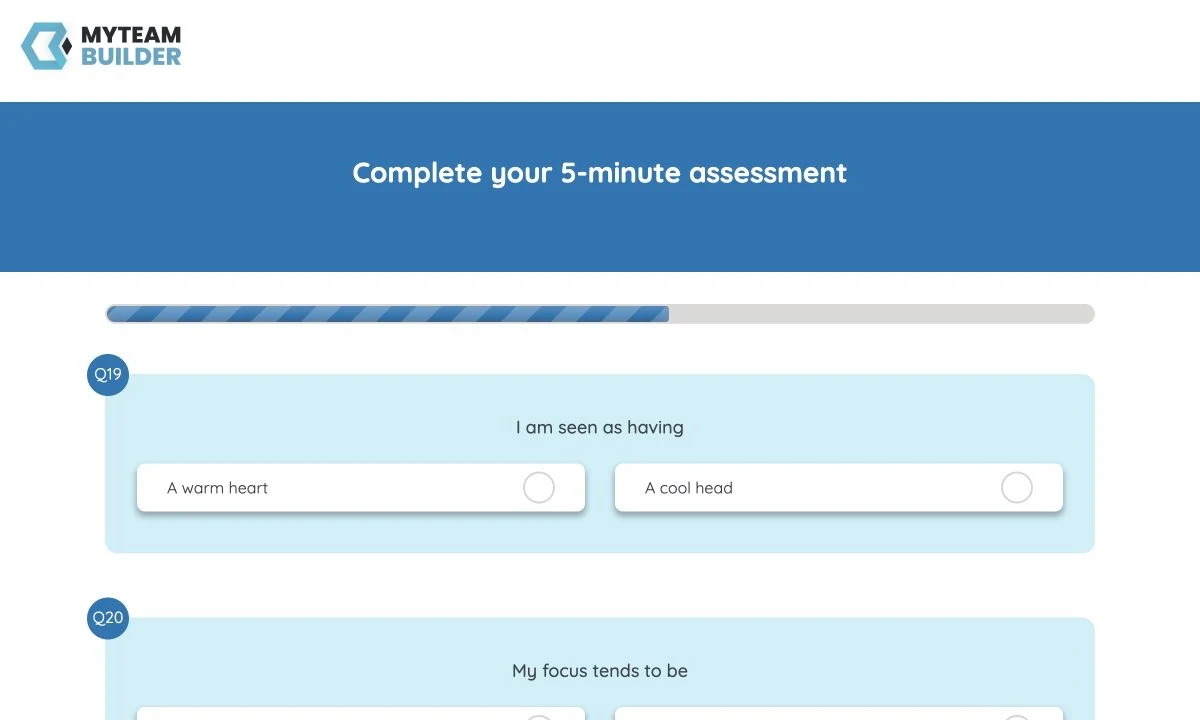
A visible progress indicator makes the commitment clear. The questions explore four dimensions of everyday working preference rather than diagnosing health, ability or performance.
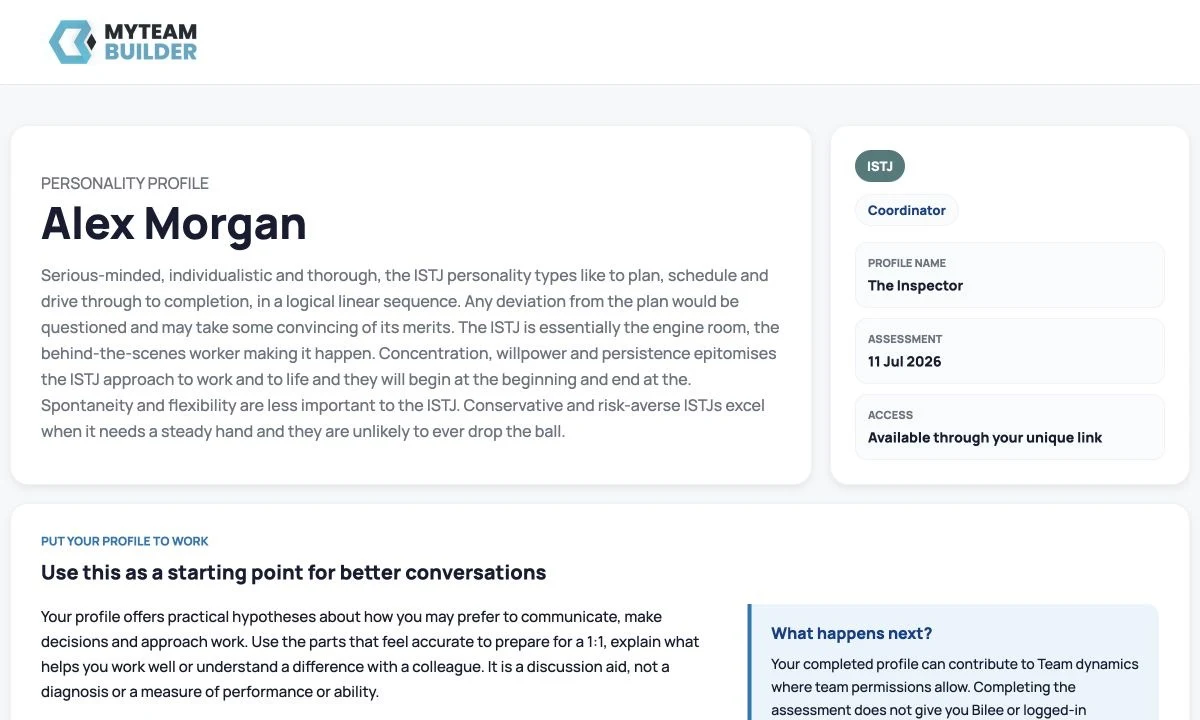
The profile explains possible communication, information, decision and planning preferences in everyday language. It is a discussion aid: people should check each suggestion with the person rather than treating a type as certainty.
Team dynamics uses completed Personality profiles where team membership and permissions allow. Assessment Users and Coach Seat users can both contribute a profile. Pending invitations do not.
A Team Lead requires a Coach Seat to use the authenticated team workspace.
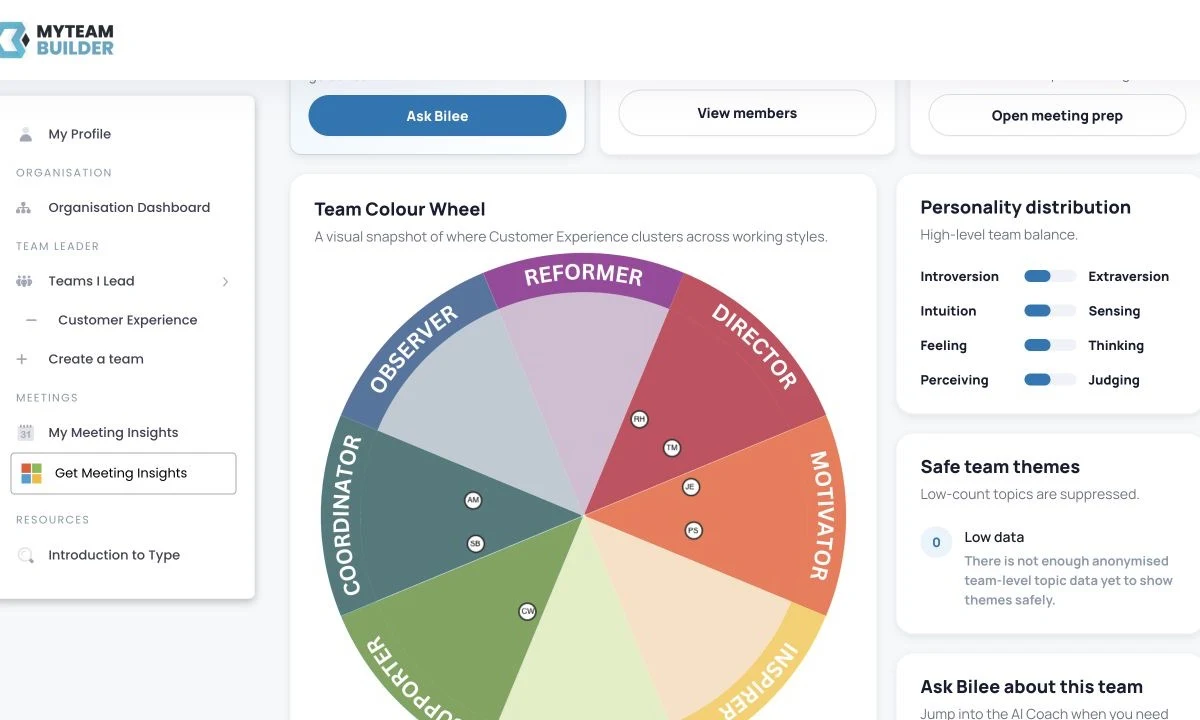
Phase three · Support the next real conversation
A Coaching seat adds a login and private, always-on support from Bilee. It is for the person doing the thinking—not a transcript for their manager.
Someone can work through how to open a difficult feedback conversation, improve a 1:1 or clarify a decision. Bilee can use safe context available to that signed-in person, but it can still be wrong and important guidance should be checked.
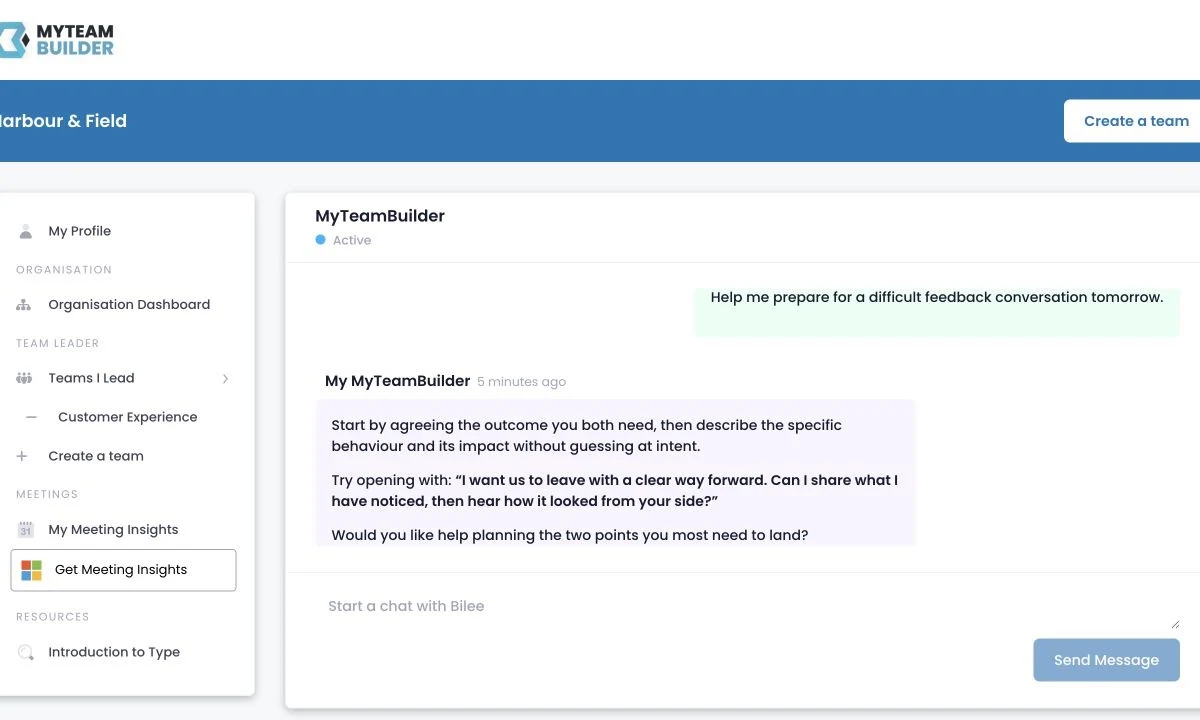
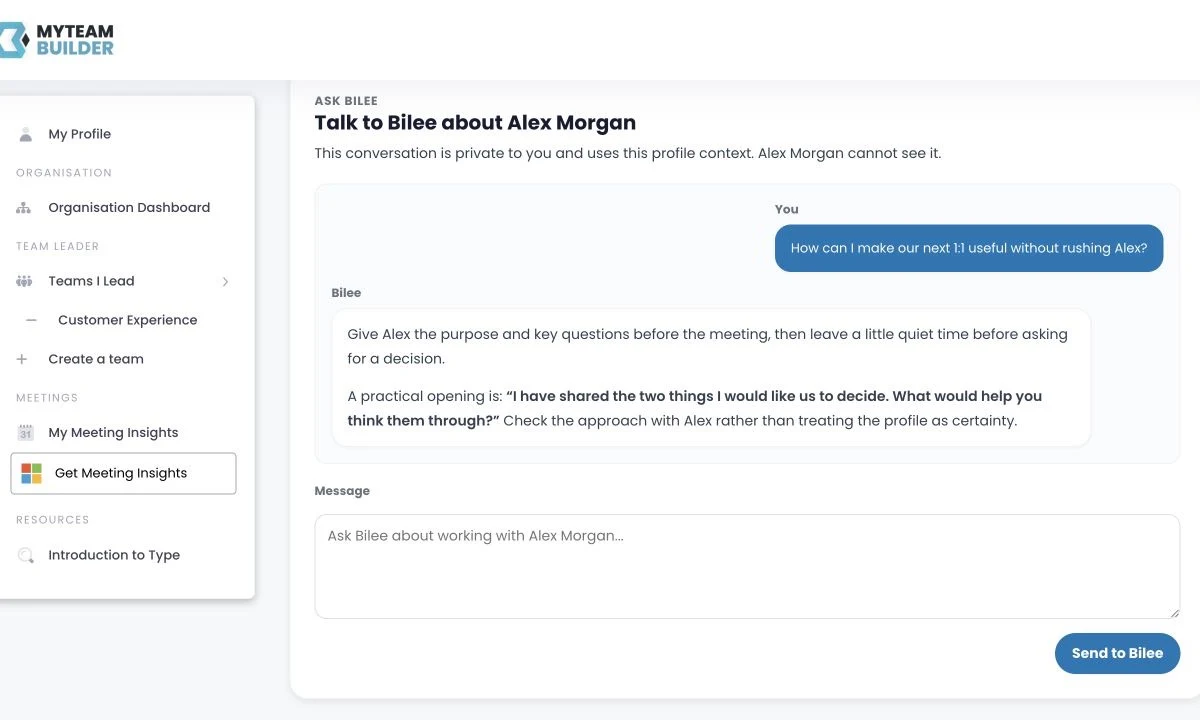
Where the signed-in person can already view a colleague's profile, profile-specific Bilee can suggest a useful starting approach. It does not reveal that colleague's private coaching or another person's calendar.
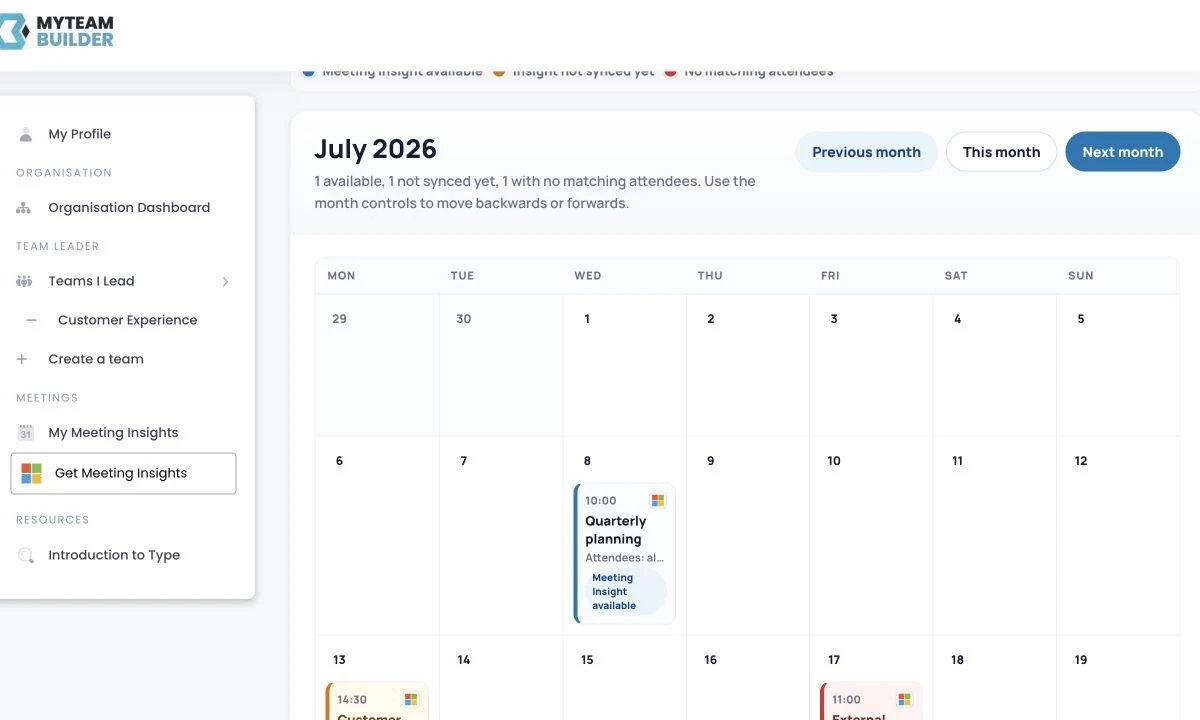
Meeting Insights uses a private month calendar for its owner. A connected supported calendar and matching MyTeamBuilder attendees are required. The visible states distinguish an available insight, one not yet synced and an event with no matching attendees.
Step 08 · Optional and conditional
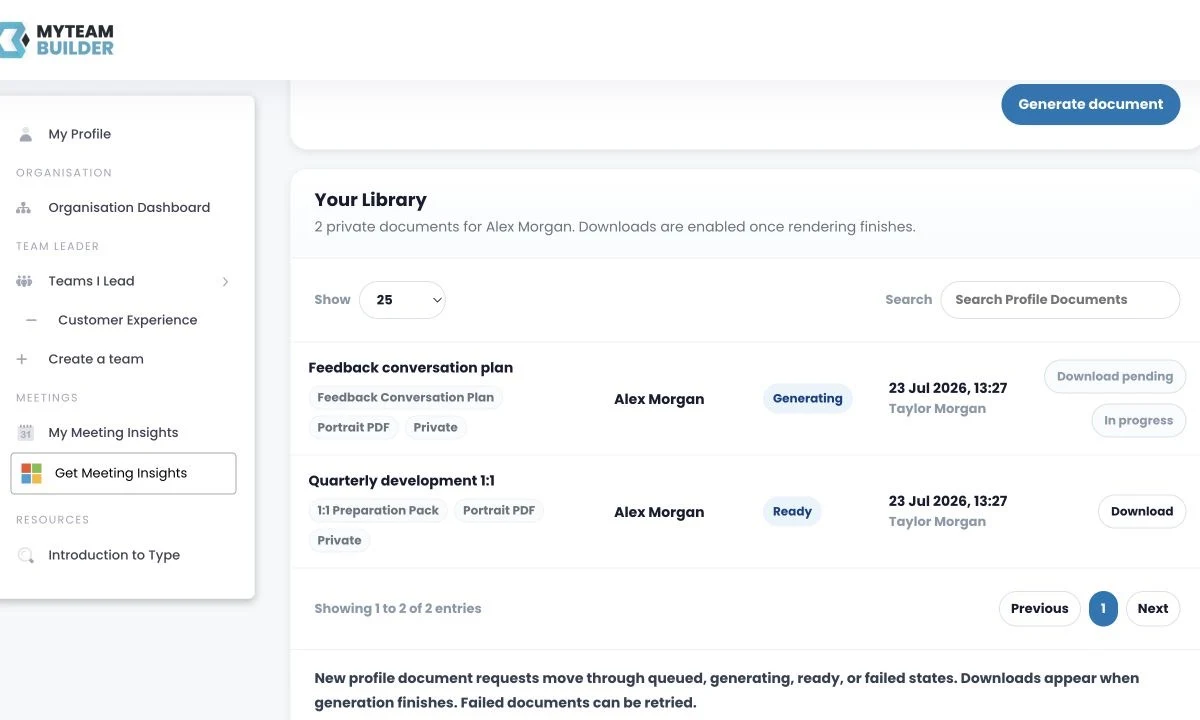
Profile Documents lets an eligible Coach Seat user create a private PDF such as a 1:1 Preparation Pack or Feedback Conversation Plan from safe profile context and their explicit purpose. It is shown only where the existing feature control is enabled.
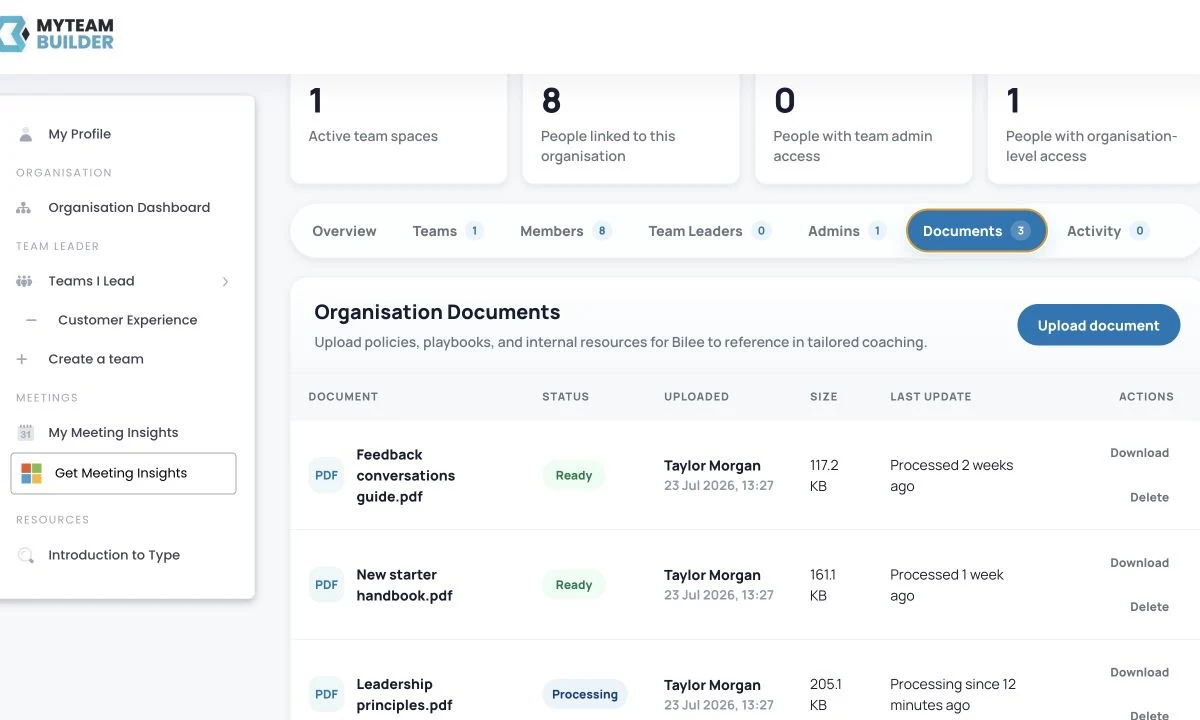
Knowledge Library lets an Organisation Admin manage approved internal sources. Bilee may reference relevant material for eligible Coach Seat users, but a source may be absent, outdated or not contain the answer.
Phase four · Learn without reading private messages
Organisation-level learning and individual coaching serve different purposes. The Admin can respond to anonymised themes and access needs without opening anyone's coaching conversation.
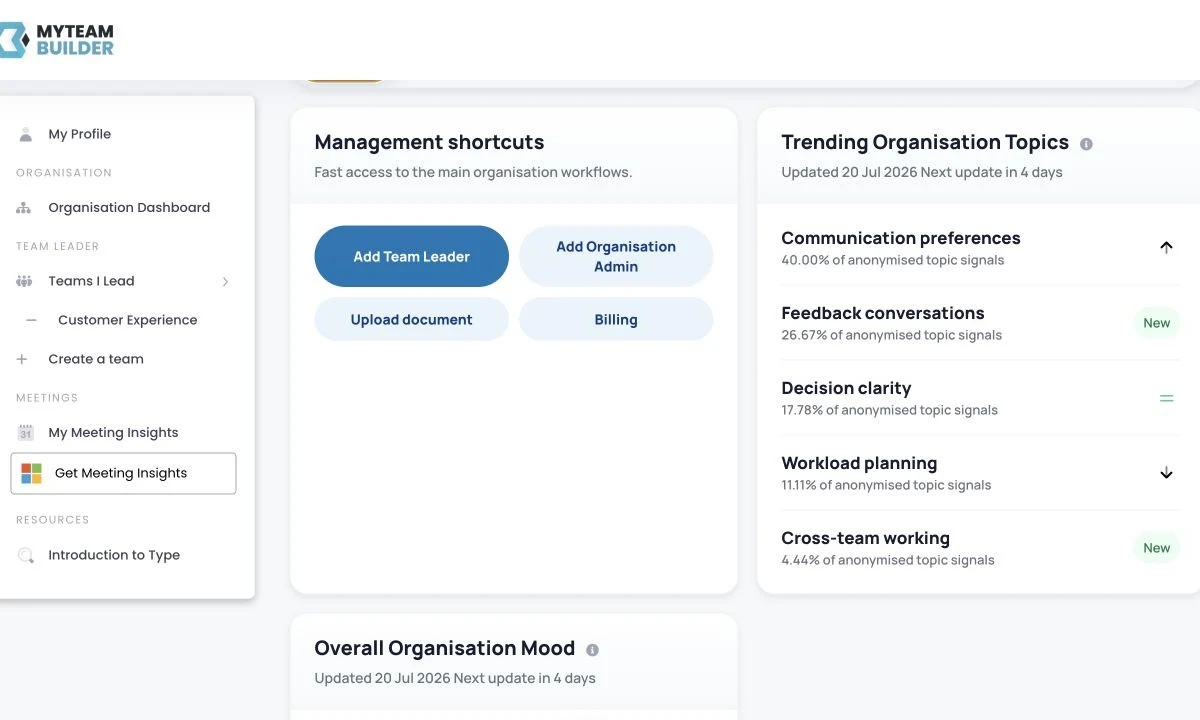
Organisation Insights groups anonymised mood and topic patterns only when there is enough coaching activity to protect individuals. It does not turn 36 assessment answers into coaching topics and withholds views when that privacy boundary is not met.
An Organisation Admin can add coaching access later without asking the person to repeat their assessment. Their completed Personality profile remains, while the paid allocation changes to include Bilee and eligible logged-in tools.
The boundary that makes candid use possible
Individual coaching is 100% confidential. Organisation Insights are anonymised; no individual messages are visible to Organisation Admins or Team Leads.
Try the demonstration journey, compare the settings-backed prices or talk through the access mix for your organisation.